Free Chrome Extension

Tasks that stay
where they belong.

Per-site to-do lists that keep you focused. Tasks on YouTube stay on YouTube, Figma tasks stay on Figma. One click, zero noise.

Add to Chrome — It's Free
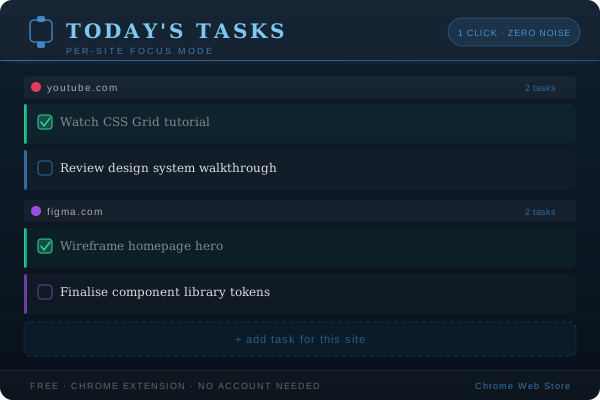
Today's Tasks extension preview
Free
Always
1-click
Access
Per-site
Task lists
0
Accounts needed

Built around the way you work

No all-in-one task manager. No context switching. Just the tasks that matter right now, tied to the site you're on.

Site-Scoped Tasks

Every site gets its own task list. Open YouTube and see only your YouTube tasks — nothing from other sites bleeding in.

Instant Checkbox

Click to complete. Tasks cross off right in the extension popup — no page loads, no redirects, no friction.

One Click Away

The extension icon is always in your toolbar. One click opens your tasks for the current site — that's it.

No Account Needed

Tasks are stored locally in your browser. Nothing is uploaded, synced, or tracked. Your data stays yours.

How it works

Getting started takes under 30 seconds. Here's the whole flow.

1
Install the extension

Add Today's Tasks from the Chrome Web Store. No sign-up, no permissions to your data — just install and go.

2
Open any site & click the icon

Navigate to any website — YouTube, Figma, GitHub, wherever — and click the Today's Tasks icon in your toolbar.

3
Add tasks for that site

Type a task and hit enter. It's now pinned to that domain. Come back tomorrow and it's still there, waiting.

4
Check them off as you go

Tick tasks as you complete them. Finished tasks stay visible so you can see your progress, then clear them any time.

Today's Tasks in action

Stop losing tasks between tabs.

Free forever. No account. Works on every website.
Install in 10 seconds.

Add to Chrome — It's Free